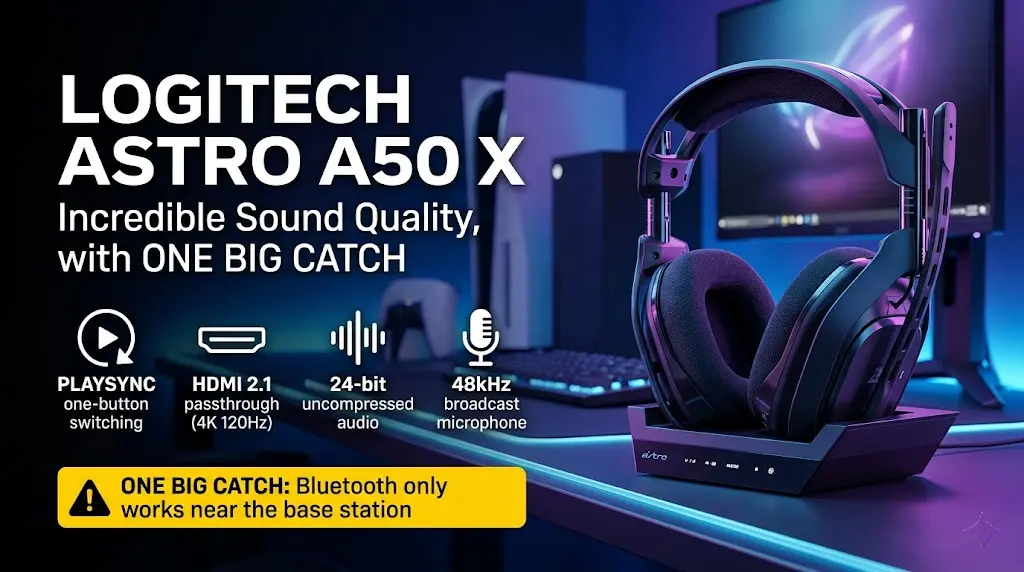
The Logitech G Astro A50 X is a top-tier gaming headset. Sound is great. The mic is one of the best I have tested. PLAYSYNC lets you swap between PS5, Xbox, and PC in one press.
One button. That is all it takes. You go from PS5 to Xbox to PC. No unplugging cables. No swapping dongles. But there is a catch.
I bought this headset with my own money. I used it for weeks. I played Call of Duty and SAROS on Xbox. I played Gran Turismo and Crimson Desert on PS5 Pro . I worked on my PC. I took calls on my phone.
Now I will tell you what is great. And what is not.
Quick Verdict
Yes, the Astro A50 X is worth it. But only for a specific person.
If you own a PS5, an Xbox, and a PC all on one desk, this headset changes your life. One button switches between them. The sound is rich. The mic is broadcast quality.
If you only play on one device, skip it. You are paying for a base station you will not use.
Sound Quality
Excellent, graphene drivers shine
Battery
24 hours + magnetic charging cradle
Multi-platform
Best in class – HDMI 2.1 passthru
Comfort
Very good, breathable fabric pads
Microphone
Best in class for wireless
Value
Only if you use all three consoles
Rating: 8.5/10
Specs at a Glance
|
Drivers |
40mm PRO-G Graphene Audio Drivers |
|
Wireless |
LIGHTSPEED 2.4GHz + Simultaneous Bluetooth |
|
Audio |
24-bit / 48kHz via HDMI 2.1 |
|
Passthrough |
HDMI 2.1 – 4K 120Hz, VRR, ALLM |
|
Platforms |
PS5, Xbox Series X/S, PC, Mac, Switch (HDMI) |
|
Switching |
PLAYSYNC – one-button platform switch |
|
Battery |
24-hour battery life |
|
Charging |
Magnetic charging cradle |
|
Mic |
48kHz LIGHTSPEED boom mic |
|
Software |
Logitech G HUB / Logitech G Mobile App |
|
Spatial Audio |
Dolby Atmos, Windows Sonic, Tempest 3D Audio |
|
Weight |
362g |
|
Price |
~$399.99 USD (Without Discount) |
What's in the Box
- Astro A50 X LIGHTSPEED headset
- A50 X HDMI Base Station with magnetic charging cradle
- Power plug with regional adapter options
- USB-A to USB-C cable for PC
- Quick start guide
Big omission: no HDMI cables. The A50 X Base Station needs HDMI 2.1 cables to hook up your consoles. None comes in the box. Buy them before setup day. Get certified Ultra High Speed HDMI 2.1 cables. Standard HDMI will not pass 4K 120Hz through the base station.
Design & Build Quality
The Astro A50 X looks clean and sleek on any desk.
The magnetic charging cradle is a highlight. Just place the headset on the dock. It snaps in and starts charging. No cables to plug in.
The frame has flex. That is by design. It helps with fit and takes knocks better. The headband screws are small. Whether they hold up over years of use is a fair question. Time will tell.
The ear cups are cloth microfiber. Very soft. Very breathable. But close to zero passive noise block. More on that below.
At 362g, it is not light. But it sits well. No pressure on the top of the head.
Comfort Test
Long Gaming Sessions
I wore the A50 X for long sessions. Comfort is good.
The cloth ear pads are the star here. They are very soft. They do not press or heat up fast. For 4 to 8 hour sessions, they are a real strength.
The headband pads well. The ear cups swivel in all ways. They wrap around almost any head. This is great for glasses wearers. The swivel stops the frame from pressing on the arms.
The Microfiber Earpad Problem
Here is the honest catch with comfort. The stock microfiber pads let a lot of sound in. And out.
If your PC fan is loud, you hear it. If someone talks nearby, you hear that too. This headset has a semi-open feel. Some love this. Others hate it.
Glasses Test
PLAYSYNC & A50 X Base Station
What Is PLAYSYNC on the Astro A50 X?
PLAYSYNC is the main selling point. It links PS5, Xbox Series X, and PC to the base station at once. Press one button on the ear cup. You switch sources in a second. No re-pairing. No setup. It works well. I pressed the cycle button and swapped from PS5 to Xbox to PC in seconds. The base station also picks up when you turn on a device. It auto-switches to the new source. Turn on your PS5, and the headset follows. Smart.
Does the Astro A50 X Support HDMI 2.1 Passthrough?
Yes. This is what sets the A50 X apart from other headsets. Your console HDMI goes into the base station. A second HDMI goes from the base station out to your TV. The base pulls 24-bit audio from the HDMI signal. It then passes the 4K 120Hz video to your screen. VRR and ALLM pass through, too. Your TV sees the same signal as if the console were plugged in directly.
The Cable Reality Behind Your Desk
Here is what nobody talks about enough. To run PS5, Xbox, and PC through the base station, you need three HDMI cables. Plus USB cables. All into one small box. Behind the desk, it is a cable mess. The front looks clean. The back is chaos. And if your PC is in a different room from your consoles? The cables will not reach. Plan your setup before you buy. This is a one-desk solution.
Sound Quality
FPS & Competitive Gaming
The 40mm PRO-G Graphene audio drivers are the real star here.
Graphene is stiff and light. This means fast response and less distortion. Sound feels crisp and alive. It is a step up from the older A50 drivers, which had a heavier, muddier tone.
Footsteps are clear and precise. I played Fortnite and picked out enemy spots with ease. The soundstage is wide. Imaging is sharp. Strong for FPS and competitive games.
On Xbox, Dolby Atmos turns on by itself. On PS5 and PS5 Pro, Tempest 3D Audio works out of the box. Both add real depth to how sound moves around you.
Story Games, Music & Movies
The A50 X sounds full and rich for story games. Bass is warm. Mids are clear. Highs are crisp but not harsh.
I tested with RPGs and racing games likes Elden Ring, Crimson Desert, Gran Turismo, black Myth Wukong and Ghost of Yotei. Sound held up well. It handles busy audio without losing detail. Good for music and films too. The graphene drivers respond well to EQ tweaks in Logitech G HUB.
24-Bit Audio via HDMI - Does It Matter?
Microphone Test
The 48kHz LIGHTSPEED boom mic is one of the best headset mics I have tested.
Most wireless headset mics sound thin and compressed. This one does not. People on Discord said they did not know I was on a headset mic. That does not happen often.
Default
Solid all-rounder
Competition
Cuts bass, sharpens voice
Broadcast
Adds low end, richer tone
Three mic presets are built in. Default is a solid all-rounder. Competition cuts bass and sharpens voice for team chat. Broadcast adds low end for a richer, fuller tone.
Flip the mic up to mute it. Flip it down, and you are live. Simple and fast. The mic is not removable, though. If you use an XLR mic for streaming, the headset mic stays in place. Minor issue for some.
Sidetone is off by default. Turn it on via the app. Low sidetone feels natural. It stops you from shouting during loud gaming moments.
Bluetooth - The Big Catch
Can You Use Astro A50 X Bluetooth Away From Home?
No. This is the big catch.
Bluetooth on the A50 X links to the base station. Not to the headset. Leave the room, and it cuts out. Unplug the base station, and your audio stops. The headset has no Bluetooth chip of its own. This is a home-only, stay-near-the-desk setup. You cannot use this as a travel headset.
For home use, it works well. You can hear your phone and your game at the same time. Both mix in the headset. That is a genuinely handy feature.
But walking to another room kills the connection. For a $350 headset, that feels like a real limit.
Battery Life
What Is the Battery Life of the Astro A50 X?
Logitech rates it at 24 hours. That held up in my testing. A full day of gaming on one charge is solid.
The magnetic charging cradle makes it easy. Set the headset on the dock at night. Pick it up the next day. Done.
One thing to watch: if you do not dock it cleanly, it will not charge. The metal pins must line up. A red light shows if the dock is off. Pay attention to this. It is easy to put it down wrong.
There is a USB-C port on the headset for direct charging. Good backup if the dock ever plays up.
The SteelSeries Arctis Nova Pro Wireless has a hot-swap battery system. With two packs, it offers non-stop play. The A50 X cannot match that. But the magnetic dock makes 24 hours feel like enough for most users.
Software: Logitech G HUB & Mobile App
Logitech G HUB is the desktop software. It is clean and easy. You get EQ, mic settings, noise gate, and preset tools.
Three EQ presets come built in: Gaming, Default, and Media. You can also make your own. The EQ gives decent control. Boost bass, pull down treble, shape the mids.
User presets are in the community section. Other users share profiles for specific games. Download and try them. This is handy. But it is not as polished as SteelSeries Sonar. Sonar has brand-made game presets. G HUB relies on the community. Results vary.
The Logitech G Mobile App works on PS5 and Xbox. Switch the headset to that mode and use the app to adjust EQ, mic, and sidetone. It works well.
One quirk worth knowing: G HUB and the mobile app do not sync. A change in one does not show in the other. Your EQ settings do save to the headset and carry across devices. But software settings stay separate between the two apps.
Platform Compatibility
Does the Astro A50 X Work With Xbox, PS5, and PC?
Yes. This is the core promise. It delivers.
Xbox Series X and Xbox Series S use HDMI 2.1 into the base station. Dolby Atmos turns on by itself on Xbox. PS5 also uses HDMI 2.1. Tempest 3D Audio works on PS5 with no setup. PC and Mac connect via USB-C. Nintendo Switch works too, via HDMI in docked mode.
PLAYSYNC makes switching fast. One button on the headset cycles through all linked sources. No lag. No fuss.
Does the Astro A50 X Support 4K 120Hz?
Yes. The HDMI 2.1 passthrough supports 4K 120Hz, VRR, and ALLM. Your TV gets the same signal as if the console were plugged in directly. The base station does not reduce video quality.
What Is the Difference Between the A50 X and the Astro A50 Gen 5?
The A50 X has HDMI 2.1 ports. These give uncompressed 24-bit audio and full PLAYSYNC multi-console switching. The A50 Gen 5 removes the HDMI ports. It uses USB switching only. You lose the audio quality edge and the seamless switching. The A50 X is the premium model. The A50 Gen 5 is the simpler, cheaper one.
How It Compares
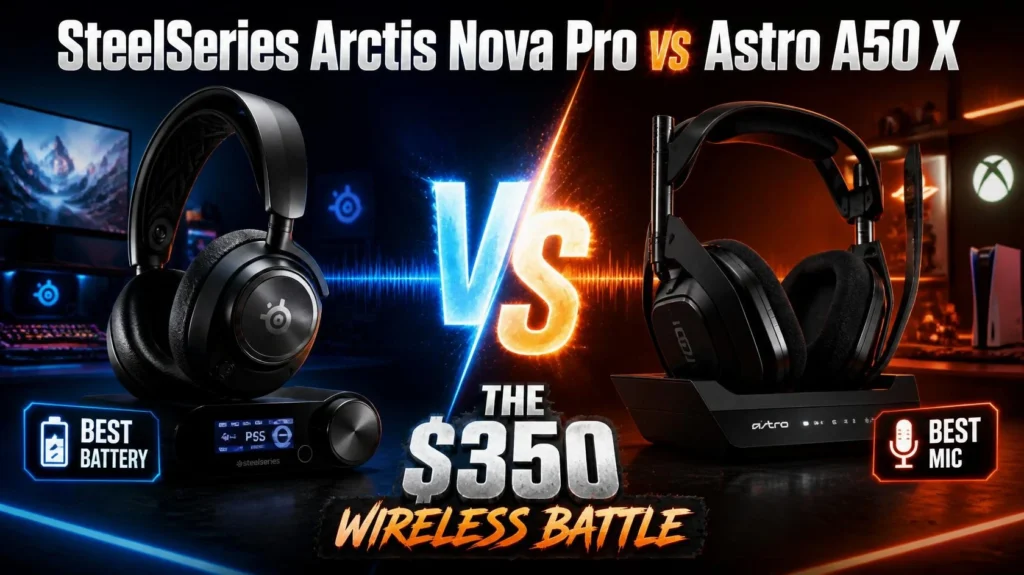
Astro A50 X vs SteelSeries Arctis Nova Pro Wireless
The Nova Pro has hot-swap batteries. The A50 X does not. The Nova Pro runs Sonar, a deeper EQ tool than G HUB. The A50 X wins on HDMI audio quality and mic output. The Nova Pro is the better pick for PC-first gamers. The A50 X wins for TV console setups.
Astro A50 X vs Audeze Maxwell
The Maxwell uses planar drivers. Its music sound and soundstage are ahead of the A50 X. But no HDMI switching. No magnetic dock. For raw sound, Maxwell wins. For multi-platform use, A50 X wins.
Astro A50 X vs Turtle Beach Stealth Pro
The Stealth Pro has a stronger noise block. The A50 X has a better mic and cleaner platform switching. Both sit at a similar price. For noise block, Stealth Pro. For mic quality and switching, A50 X.
Astro A50 X vs Logitech G Pro X 2
The G Pro X 2 LIGHTSPEED is lighter and built for esports. No HDMI. No base station. No dock. The A50 X is the more complete multi-platform headset. G Pro X 2 wins only for pure PC gaming with no console use.
Pros & Cons
Pros
- PLAYSYNC multi-platform switching is fast and seamless
- HDMI 2.1 passthrough - 4K 120Hz, VRR, ALLM pass through cleanly
- 24-bit uncompressed audio via HDMI gives a real quality edge
- 40mm PRO-G Graphene audio drivers - crisp, clear, detailed sound
- 48kHz LIGHTSPEED boom mic - outstanding for a wireless headset
- The magnetic charging cradle makes daily charging effortless.
- Simultaneous Bluetooth lets you mix phone and game audio.
- Dolby Atmos on Xbox and PC, Tempest 3D Audio on PS5
- Works on PS5, Xbox Series X/S, PC, Mac, Nintendo Switch (HDMI)
- Wicked Cushions fit and improve sound and comfort.
Cons
- No HDMI 2.1 cables in the box - buy your own before setup
- Bluetooth routes through the base station only - leaves the room, and it cuts out.
- Three HDMI cables plus USB cables behind one small box - cable mess
- G HUB and mobile app settings do not sync with each other.
- 24-hour battery - no hot-swap option like the Nova Pro Wireless
- Stock microfiber pads have poor passive noise block.
- Mic is fixed - cannot remove it if you prefer a standalone mic.
- Only worth the price if you use multiple platforms every day
- The base station must stay on and plugged in for Bluetooth to work.
Who Should Buy It - Who Should Skip It
Buy It If:
- You game on PS5, Xbox Series X, and PC - all within cable reach.
- You want 24-bit uncompressed audio from consoles via HDMI 2.1
- One-button platform switching is a priority for you.
- You stream or record, and need a great headset mic.
- You want Dolby Atmos on Xbox and Tempest 3D Audio on PS5 in one headset.
- Magnetic charging with zero cable fiddling sounds ideal to you.
Skip It If:
- You only use one platform - the switching is the main value here.
- Your PC and consoles are in different rooms - cables will not reach
- You want Bluetooth away from your desk or outside the house.
- You want ANC - this headset has none.
- You want hot-swap batteries for endless play time.
- You use a separate XLR or USB mic and do not need the headset mic.
Final Verdict
The Logitech G Astro A50 X is a great headset. Sound is excellent. The mic is outstanding. PLAYSYNC works exactly as promised.
But the catch is real. No HDMI cables. A messy cable setup. Bluetooth is tied to the base station. And a price that only makes sense if you use every platform it supports.
If you have PS5, Xbox Series X, and a gaming PC all on one desk, this headset makes a strong case. The HDMI 2.1 passthrough and 24-bit audio give it a real edge. One-button switching is genuinely useful every day.
If you only use one or two platforms, or your setup is spread across rooms, look at the SteelSeries Arctis Nova Pro Wireless. You save money and get more flexibility.
FAQs
Yes, if you game on PS5, Xbox, and PC daily. The PLAYSYNC switching, 24-bit HDMI audio, and mic quality justify the price for multi-platform gamers. For single-platform use, it is too expensive.
PLAYSYNC is the platform switching system. It links PS5, Xbox Series X, and PC to the base station at once. Press one button on the headset to swap sources. No re-pairing needed.
Yes. All three connect to the A50 X Base Station at the same time. Xbox and PS5 use HDMI 2.1. PC and Mac use USB-C. Nintendo Switch works via HDMI in docked mode.
No. The box does not include HDMI cables. To connect the Xbox Series X and PS5, buy at least two certified Ultra High Speed HDMI 2.1 cables before you set up.
Yes. The base station has HDMI 2.1 ports. They support 4K 120Hz, VRR, and ALLM. Video passes to your TV at full quality. The base station only pulls the audio from the HDMI signal.
Yes. The HDMI 2.1 passthrough supports 4K 120Hz, VRR, and ALLM. Your TV gets the same signal as if the console were plugged in directly. Video quality is not affected.
Up to 24 hours per charge. The magnetic charging cradle makes overnight charging simple. There is also a USB-C port on the headset for direct charging as a backup.
Yes. The A50 X uses LIGHTSPEED 2.4GHz wireless for low-latency audio. The mic uses a 48kHz LIGHTSPEED connection for high-quality voice output.
Yes. Dolby Atmos turns on by itself on Xbox Series X and Xbox Series S. It also works on Windows 10 and 11. On PS5, Tempest 3D Audio works natively instead.
Yes. The PRO-G Graphene drivers give sharp, clear sound. Footstep detection is precise. Dolby Atmos on Xbox and Tempest 3D Audio on PS5 add positional depth. Strong for FPS games.
No. Bluetooth links to the base station, not the headset. Move out of range of the base station, and audio cuts out. This is a home and desk-only headset for Bluetooth use.
It depends. The A50 X wins on HDMI audio, PLAYSYNC, and mic quality. The Nova Pro Wireless wins on battery system, Sonar EQ software, and flexibility. For TV console setups, A50 X. For PC-first gamers, Nova Pro Wireless.
The A50 X has HDMI 2.1 ports for 24-bit uncompressed audio and PLAYSYNC switching. The A50 Gen 5 removes the HDMI ports and uses USB switching only. The A50 X is the premium model. The A50 Gen 5 is the simpler, cheaper option.